
Disclosure: Some of the links you’ll encounter are affiliate links. If you click and buy something, I’ll get a commission. If you’re reading a review of some precious metals company, please understand that some of the links are affiliate links that help me pay my bills and write about what I love with no extra cost to you. Thank you!
You wouldn’t track your money by memory. You’ve got systems: A budgeting app for every dollar, monthly savings targets, and real-time financial tracking to help you feel in control.
But here’s the twist. As a freelancer or consultant, your real currency is time. (Yet many don’t have a system for tracking it.)
That’s a problem, because the cost of lost time is more than a few minutes. It leads to fuzzy pricing, fatigue, burnout, and blurred work-life boundaries.
It’s time to treat time like money.
Let’s break down how visual workflow tools can help you manage time with the same discipline you apply to your personal finances.
Table of Contents
The Hidden Cost of Vague Time Tracking
When it comes to work hours, too many freelancers and consultants rely on guesswork.
In fact, almost 80% of individuals don’t use any formal task or time management system.
It’s no wonder, then, that so many projects run over or invoices go missing — because time, unlike money, doesn’t automatically come with transaction alerts.
And time leaks show up in every kind of workflow.
In offices, nearly 90% of workers are interrupted daily. A quarter of employees experience six or more disruptions a day, usually from coworkers, Slack, or random pings.
And it’s not easy to bounce back from these interruptions. Research shows that 62% of people need roughly 10 minutes to regain their flow after a disruption, while almost 20% take up to half an hour. That’s a lot of dead time.
But it’s not just an office problem.
In hands-on industries like metal garage installation, the impact of disruption plays out differently but just as severely.
Workers juggle shifting timelines, labor availability, material deliveries, and permit submissions. Without a clear visual system to track all of that, deadlines slip, bottlenecks form, and miscommunication spreads across job sites.
And in creative work? It’s just as bad.
Creating a digital scrapbook might seem like fun, but it still requires structure. Just like executing a complex content marketing plan, without trackable phases, your project turns into chaos. If you don’t break that process into trackable phases, your project turns into chaos.
This is where visual workflow tools (like Luxafor’s Busy Lights and Pomodoro Timer) make a real difference.
Let’s explore how.
Top Visual Workflow Tools That Help You Track Time Like a Budget
You’ve got tools to monitor your bank account, analyze your investment tracking, and get automated alerts when your bills are due.
Now it’s time to apply that same structure to your schedule.
Here are five visual tools that will help you stay on track:
1. Luxafor Busy Lights
Luxafor’s smart LED light offers a clear indicator that you’re busy. It turns red when you’re working and green when you’re available.
It integrates with tools like Google Calendar, Slack, and other project and communication platforms. When you’re in a meeting, on the phone, or busy on the app, your light automatically turns red. It turns green again when you’re free.
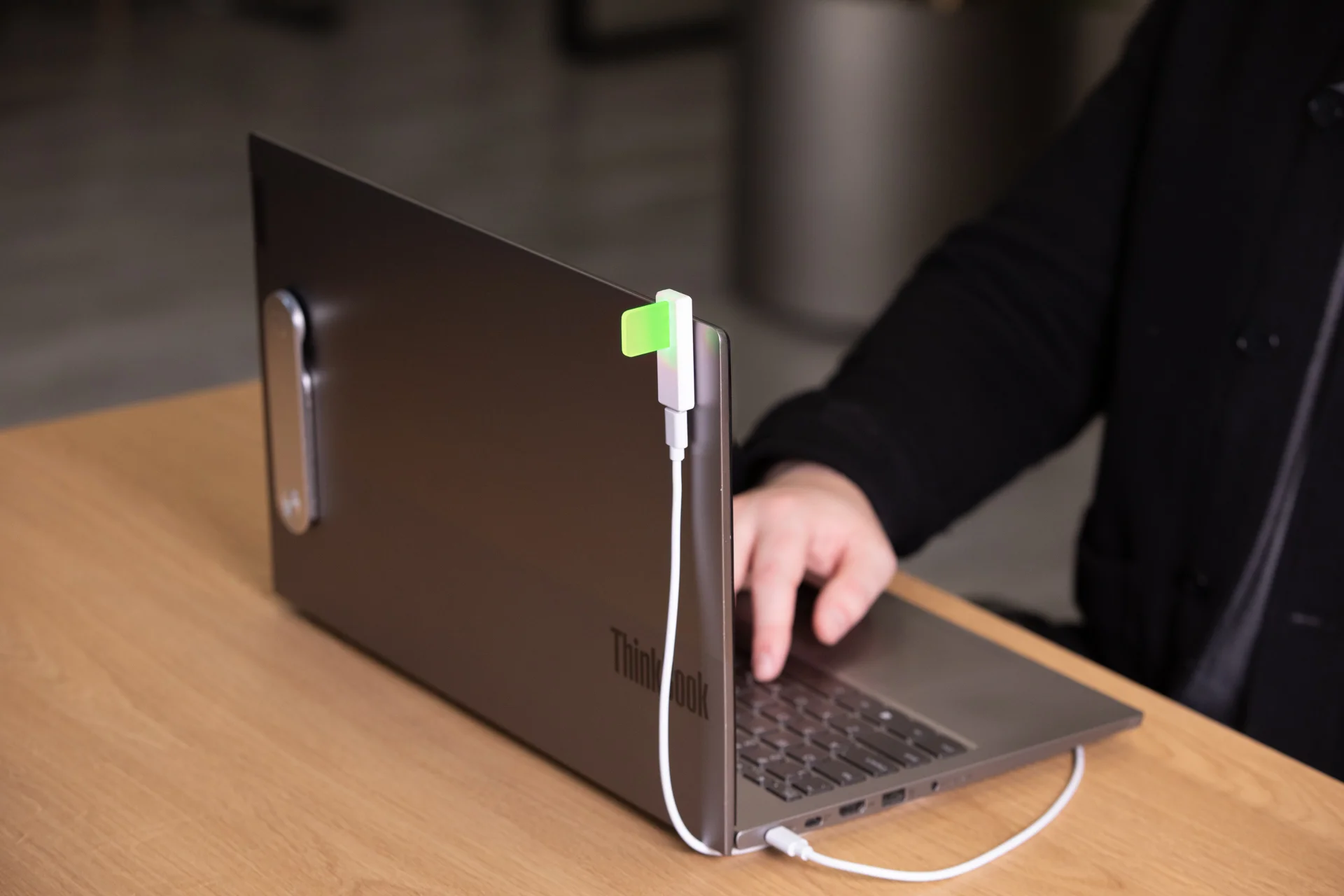
You can also switch it manually with a click when you want to focus. Use its built-in productivity timer to set the session length, and the light will change color to show when it’s time to focus or take a break.
And here’s why it’s better than digital tools that hide in tabs. This device sits in your workspace, so it’s visible to everyone around you.
But it does more than just ward off workplace distractions.
If you pair Luxafor’s Busy Light with Toggl Track using Zapier integrations, you can track time and stop distractions in one go. Your timer starts logging hours in Toggl, automatically turning your Luxafor light red to show you’re in deep focus mode.
2. Toggl Track
Time budgeting apps like Toggl Track offer simple, flexible time-tracking software.
Toggl features an automatic Timer Mode, Manual Mode, and a Timesheet View. It tracks the time you’re working with a clear, on-screen display of how long you’ve been at it.
It also includes idle detection. If you step away, it pauses automatically. This helps keep your hours accurate, especially when you’re switching between tasks or projects.
But while it tracks time well, it’s fully digital. This means there’s nothing physical to show others you’re busy. In shared spaces, that means more chances of interruptions. However, when paired with a Luxafor Busy Light, you can both track your hours and let others know that you don’t want any interruptions.
3. Luxafor Pomodoro Timer
Luxafor’s Pomodoro Timer is a minimalist physical device that works on the Pomodoro Technique: 25 minutes of focused work, followed by a 5-minute break. And repeat.
It’s not connected to the internet, doesn’t require setup, and won’t bombard you with pop-ups and pings. It’s just a straightforward, tactile way to structure your day.
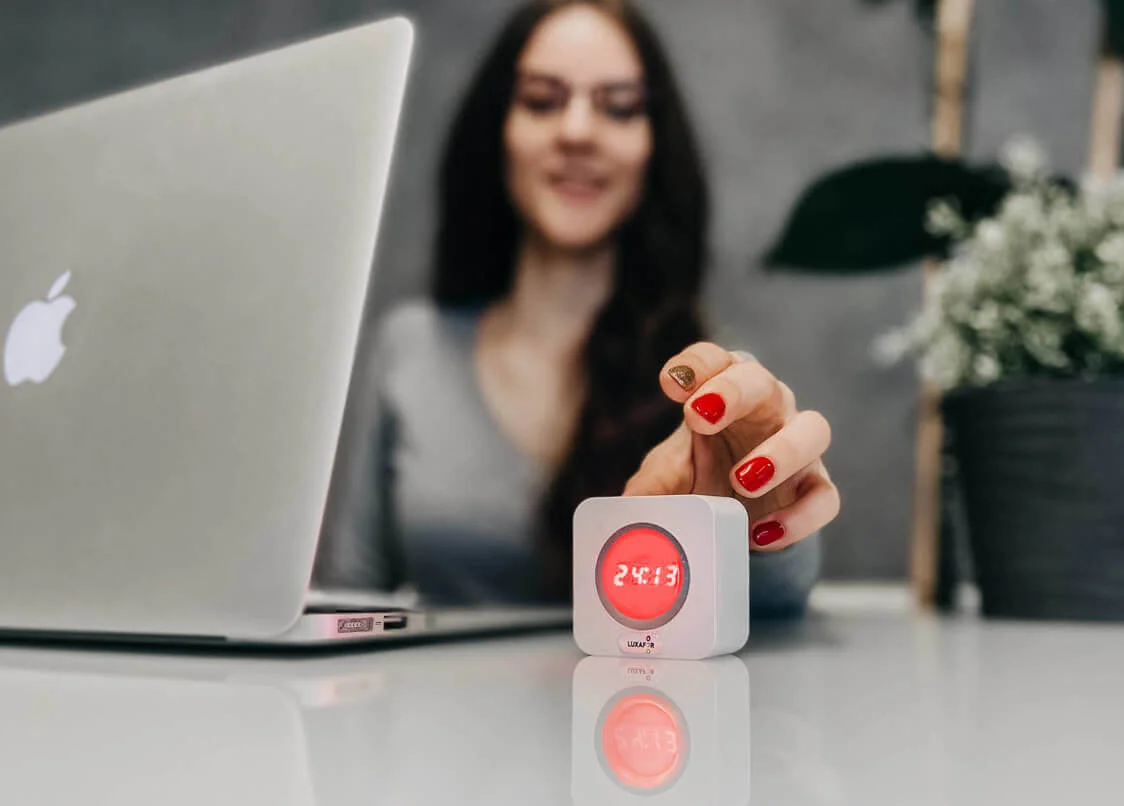
You simply press the button, the timer lights up, and you get to work. When your session finishes, the light changes color to indicate it’s time to pause, reset, or switch gears.
This helps you stay mindful of how you spend your energy — ideal if you’re juggling multiple clients or switching between tasks.
And the best part? When the light is on, you’re in focus mode. This clearly signals to coworkers, roommates, or passersby that you don’t want any disturbances.
4. Kanban Boards
Tools like Asana and Trello use Kanban boards to map your tasks visually. You drag and drop items from “To Do” to “In Progress” to “Done.”
It’s like envelope budgeting, but with your hours instead of money. You can estimate how long each task should take and structure your week accordingly.
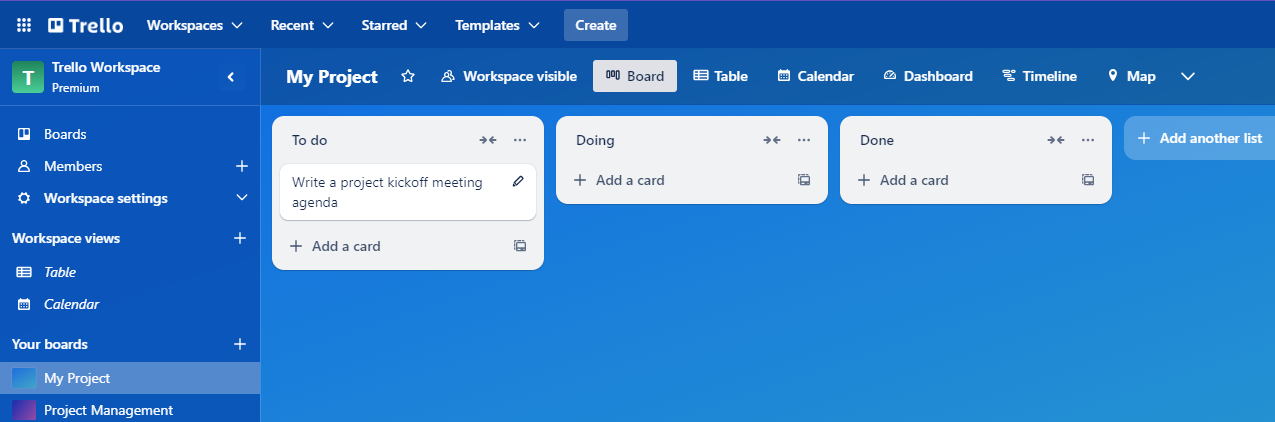
They don’t automatically clock time, but many now include time-tracking software built into each task card. That provides a lightweight way to log hours and track the time spent on each task.
5. Website Blockers
What do you do when your biggest distractions come from within?
Many freelancers get sucked into endless tab-hopping, social media spirals, or checking email every five minutes. Website blockers stop you from distracting yourself.
Tools like Freedom, Cold Turkey, or StayFocusd let you block distracting sites so you can focus on your work.
They don’t track hours, but they do preserve them.
And if you’re working in an office, you can pair your blocker with a Luxafor Busy Light, so others see you’re mid-sprint while your laptop stays locked on task.
Wrap Up
You’ve built systems to protect your wallet. Now build them for your time.
Luxafor’s Busy Lights and Pomodoro Timer offer something most tools don’t: visibility.
With visible boundaries in place, you can reduce distractions by training the people around you to respect your focus.
Pair them with smart software like Toggl, and you’ve got a full time-tracking system that also wards off interruptions.
Looking for more tips? Visit Nikola Roza’s blog for more information.
Author Bio:

Ioana Wilkinson
Ioana is a business strategist and content writer for B2B tech and SaaS brands. She also helps aspiring entrepreneurs build remote businesses. Born in Transylvania and raised in Texas, Ioana has been living the digital nomad life since 2016. When she’s not writing, you can catch her snorkeling, exploring, or enjoying a café con leche in Barcelona!

Nikola Roza
Nikola Roza is a blogger behind Nikola Roza- SEO for the Poor and Determined. He writes for bloggers who don't have huge marketing budget but still want to succeed. Nikola is passionate about precious metals IRAs and how to invest in gold and silver for a safer financial future. Learn about Nikola here.